QR menu · Add-on, priced in your quote
Your menu on every table, always current.
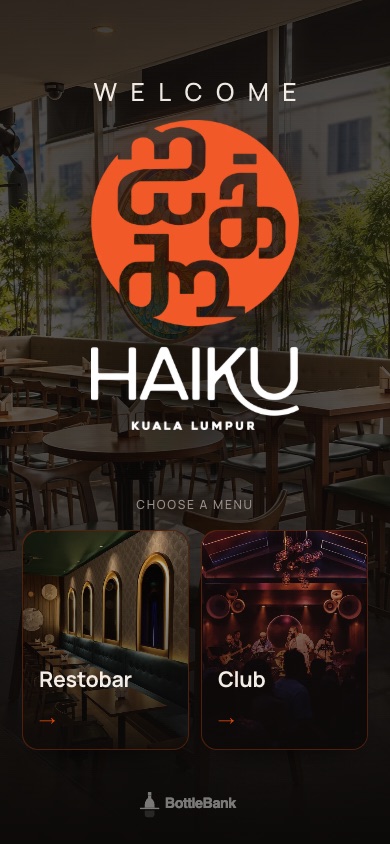
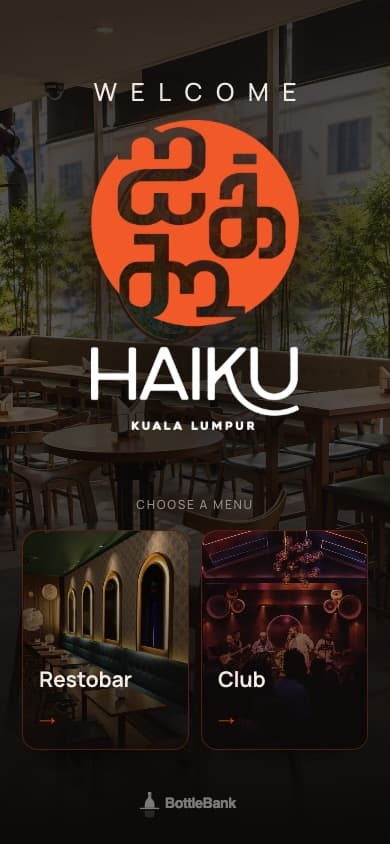
One QR code on the table opens a page with your menus, your photos and your prices, and it changes the moment you change it. No reprinting when a price moves. Have a look at the live Haiku KL menu on the right.
How a night runs
Step by step, on the floor.
- 01
Photograph the printed menu
Or send the PDF. The app reads it and builds the menu, sections, items and prices. You tidy, you do not retype.
- 02
Make it yours
Your logo, your colours, your typeface, your photos, your room. Two layouts: a clean list, or a photo-led page for food.
- 03
Several menus, one code
Bar, restaurant, club, bottles. A guest scans once and chooses. Each menu has its own happy hours and featured items.
- 04
Prices change themselves
Set happy hour once. The price on the guest’s phone switches on the clock and switches back. Sold out says sold out.
- 05
Publish when you are ready
Edit on the iPad, publish with one tap. Guests always see the published version, never a half-finished one.
What you get
Everything in the box.
- Menu built from a photo or PDF of your printed menu
- Several menus behind one QR code, with a cover page
- Happy hour pricing on a schedule
- Your logo, colours, fonts and photos; two layouts
- Edit and publish from the iPad
- Guest page in the phone’s browser, nothing to install
Straight answers
What owners ask about qr menu.
Is this included in the plan?
It is an add-on, priced in your quote, per venue, per year.
Who builds the menu?
We do the first version from your printed menu or PDF, as part of setup. After that your manager edits it on the iPad.
Can I see a real one?
Yes. Haiku KL runs on it. Open their menu, exactly as their guests see it: bottlebank.io/haiku-kl/menu ↗
Book a demo
Send us your menu. We will show it back to you.
Book a demo and we build your first menu before the call.
Also in BottleBank